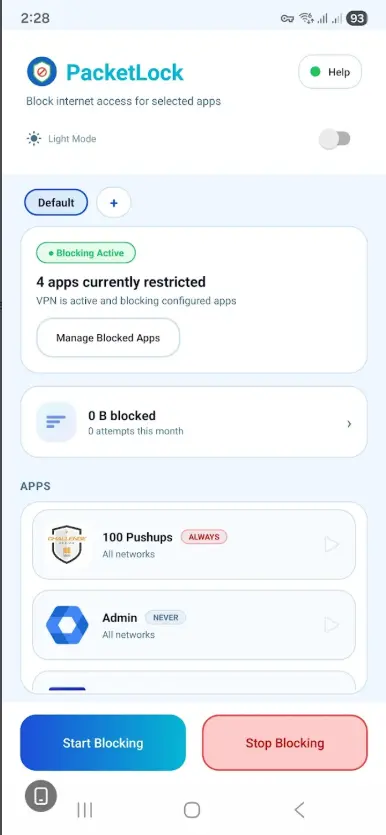
PacketLock uses Android's VPNService API to create a local, on-device VPN that intercepts and blocks network traffic for selected applications. No traffic is routed through external servers. The VPN operates entirely within your device, giving you precise control over which apps can access the internet and when.
Why it's different
No external routing
Traffic is never sent to a remote server. The VPN runs locally on your device.
No telemetry
No usage data is collected, transmitted, or stored on external systems.
No analytics
Zero analytics SDKs. No Firebase, no Crashlytics, no event logging.
No cloud storage
All app configuration and data lives on your device and nowhere else.
Key features
App-level blocking
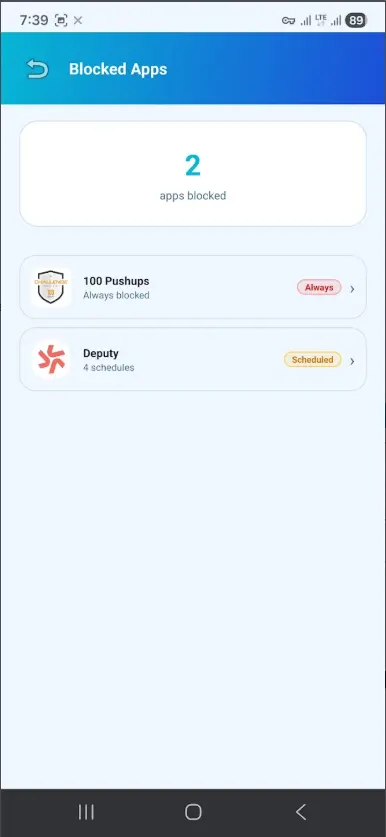
Select exactly which applications can and cannot access the internet.
Wi-Fi vs mobile control (Premium)
Set different blocking rules for Wi-Fi and mobile data connections.
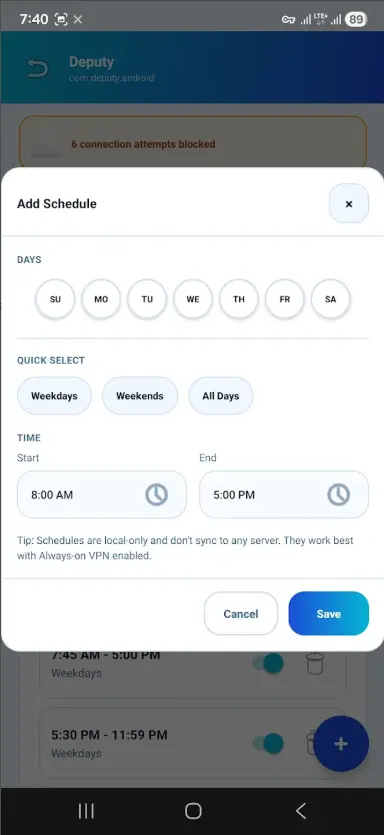
Scheduling (Premium)
Schedule blocking rules to activate and deactivate at specific times.
Profiles (Premium)
Save different blocking configurations as named profiles for quick switching.
Temporary unblock (Premium)
Temporarily allow a blocked app to access the internet without changing your rules.
Block activity dashboard (Premium)
Track blocked connections per app. See which apps attempt to reach the network and how often.
Resume on reboot
Blocking rules automatically resume when your device restarts.
Lightweight battery impact
Designed for minimal battery drain. The local VPN is efficient and resource-conscious.
No root required
Works on any standard Android device. No root access or special permissions needed.
How it works
- 01
Select an app
Choose any installed application from the list.
- 02
Choose mode
Block Wi-Fi, mobile data, or both connections.
- 03
Apply network rule
Your rule is applied immediately to the local VPN configuration.
- 04
Start blocking
Activate the VPN. Blocked apps lose internet access instantly.
- 05
Enable always-on VPN
Optionally enable Android's Always-on VPN for persistent protection.
Free & Premium
Free - $0
Block up to 2 apps / Simple on/off blocking / No root required / 100% on-device / Resume on reboot.
Premium - $2.99 (one-time, lifetime)
Unlimited app blocking / Scheduled blocking / Wi-Fi vs mobile data rules / Multiple profiles / Temporary unblock / Block activity dashboard.