Projects / KG3N Sentinel
KG3N Sentinel
FreeStandalone File Integrity Monitoring for Windows. Real-time detection, SHA-256 baselines, and a browser-based dashboard - all in a single .exe.
KG3N Sentinel monitors your Windows file system in real time. Point it at any folder and it watches for file creates, modifications, deletions, renames, and permission changes. It compares every change against SHA-256 baselines to detect tampering, flags ransomware-like behavior automatically, and sends email alerts when something critical happens. The entire system runs from a single .exe with zero external dependencies - no database installation, no web server, no runtime. Launch it and open the dashboard at 127.0.0.1:9090.
Why use KG3N Sentinel
Real-time monitoring
Uses Windows kernel-level file system notifications to detect changes the instant they happen. No polling, no delays.
SHA-256 baselines
Generate cryptographic baselines for your folders. Every file is hashed and tracked. If a single byte changes, Sentinel catches it.
Ransomware detection
Behavioral detection for mass file changes, known ransomware extensions, ransom note filenames, and rapid rename patterns.
Email alerts
SMTP integration with TLS/STARTTLS. Configurable severity threshold and rate limiting.
Browser dashboard
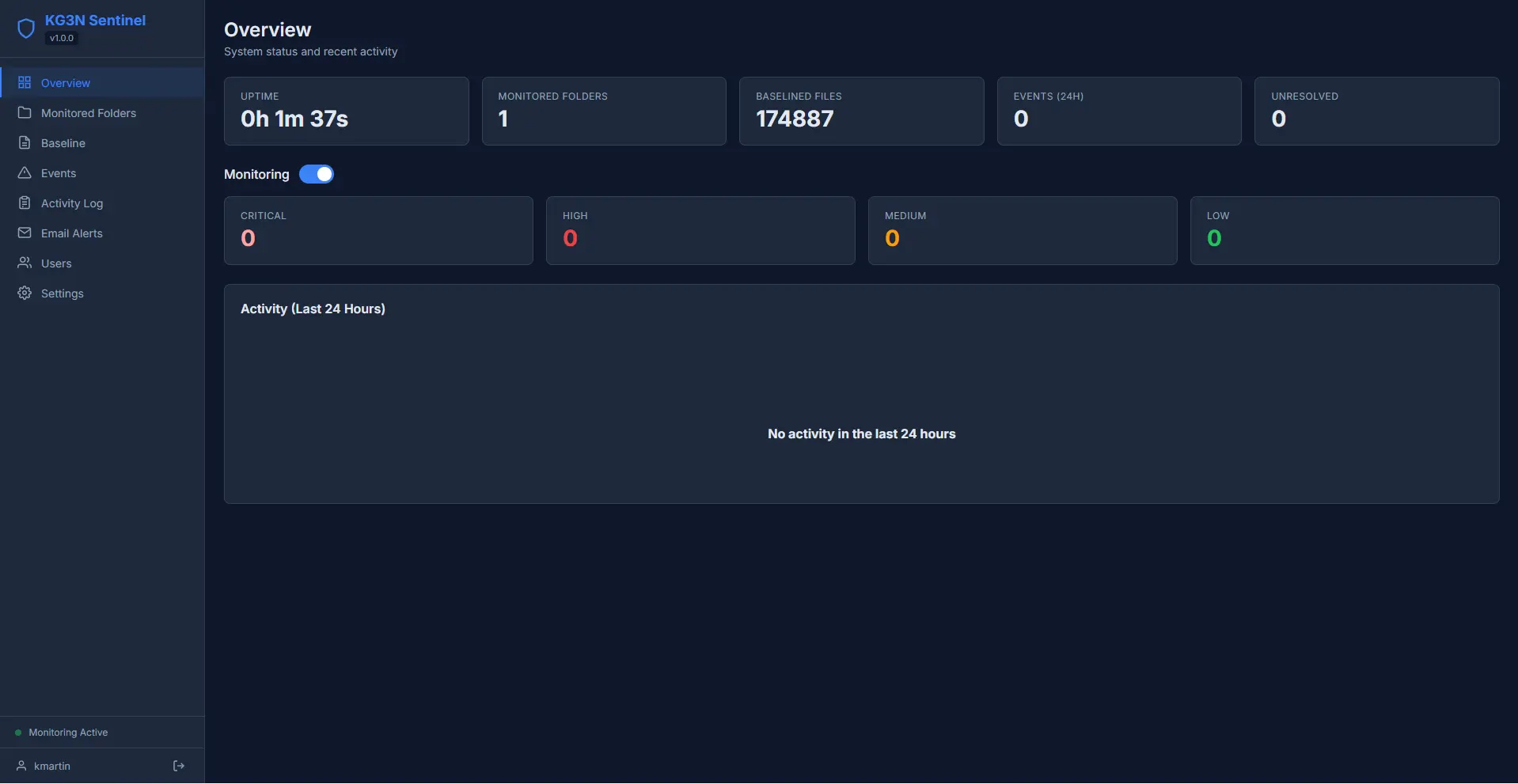
Full management interface served locally at 127.0.0.1:9090. Overview stats, event timeline, folder management, and settings.
Multi-user access control
Role-based authentication with admin, operator, and viewer roles. Full audit trail logs every action.
How it works
- 01
Download the executable
Download KG3NSentinel.exe. A single portable file - no installation, no database setup, no runtime dependencies.
- 02
Launch and open the dashboard
Run the .exe and the dashboard opens automatically in your browser at 127.0.0.1:9090.
- 03
Add folders to monitor
Select directories. Choose recursive monitoring, set file type filters, and define exclusion patterns.
- 04
Generate baselines
Scan your folders to create SHA-256 baselines. Future changes are compared against this snapshot.
- 05
Monitor and respond
Events appear in real time via WebSocket. Acknowledge, resolve, or export them. Review the audit log for a full history.
Under the hood
- Go (Golang): compiled to a single native binary. No runtime, no interpreter, no dependencies on the target machine
- SQLite (WAL mode): embedded database with write-ahead logging, stored in AppData. No database server required
- ReadDirectoryChangesW: Windows kernel API for file system notifications. Instant detection with no polling overhead
- WebSocket: live event push to the browser dashboard - events appear instantly, no page refresh
- AES-GCM encryption: SMTP credentials encrypted at rest with a machine-derived key (PBKDF2)
- Self-integrity check: Sentinel periodically hashes its own binary and runs database integrity checks to detect tampering
Privacy
KG3N Sentinel runs as a single .exe on your machine and stores its baseline hashes in a local SQLite database. It does not transmit telemetry, does not call back to KG3N, and does not require an internet connection for normal operation. The optional email-alert feature connects only to the SMTP server you specify - your credentials and recipient addresses stay on the host. The browser dashboard is served from localhost only and is not exposed to the network unless you opt in.
Frequently asked questions
Is it free?
Yes, completely free. No sign-up, no licence key, no premium tier. Download and run it.
What does it monitor?
Any folder on your Windows machine. It detects file creates, modifications, deletions, renames, and permission changes in real time. It also runs periodic drift checks against your baselines to catch anything that slipped through.
How does ransomware detection work?
Sentinel watches for behavioral patterns: mass file changes within a short time window, files being renamed to known ransomware extensions (.encrypted, .locked, .crypted, etc.), and ransom note filenames appearing in monitored folders. When a pattern is detected, it triggers a critical alert.
Does it need a database or web server?
No. Sentinel embeds SQLite and its own HTTP server directly into the binary. There is nothing to install or configure. Launch the .exe and the dashboard is available immediately.
Can multiple people use the dashboard?
Yes. Sentinel supports multiple user accounts with three roles: admin (full control), operator (can manage folders and baselines), and viewer (read-only). Every action is logged in an audit trail.
Does it support HTTPS?
Yes. You can generate a self-signed TLS certificate from the settings page and enable HTTPS for the dashboard. Useful if you need encrypted access to the local interface.
Windows SmartScreen shows a warning?
SmartScreen may warn about the file because it's new and unsigned. This is normal for independent software. Click "More info" then "Run anyway" to proceed.
Where is data stored?
Everything is stored locally in %LOCALAPPDATA%\KG3N Sentinel\. The SQLite database, TLS certificates, and configuration all live in that folder. No data is sent anywhere.