Projects / SVG PAYE Tax Calculator
SVG PAYE Tax Calculator 2026
FreeTrack your income tax all year in the spreadsheet you already know - or run it in any browser, no install required. So you're never surprised at filing time.
A free tax calculator built for workers in Saint Vincent and the Grenadines, available in two interchangeable formats: a formula-driven Excel spreadsheet, and a zero-install HTML app that opens in any browser. Enter your monthly income and PAYE deductions, and instantly see whether you owe additional tax or have overpaid. Both versions use the official SVG Inland Revenue PAYE monthly tables - not estimates. At the end of the year, your filing summary is already done.
Pick the one that suits you
Both versions use the same official Inland Revenue tax tables and produce the same results. Choose whichever fits how you work.
Excel spreadsheet (recommended)
The classic .xlsx file. Best for people already comfortable in a spreadsheet. Opens in Excel, Google Sheets, LibreOffice, Numbers. 16 sheets, formula-driven - inspect or modify any calculation.
Browser app (no install)
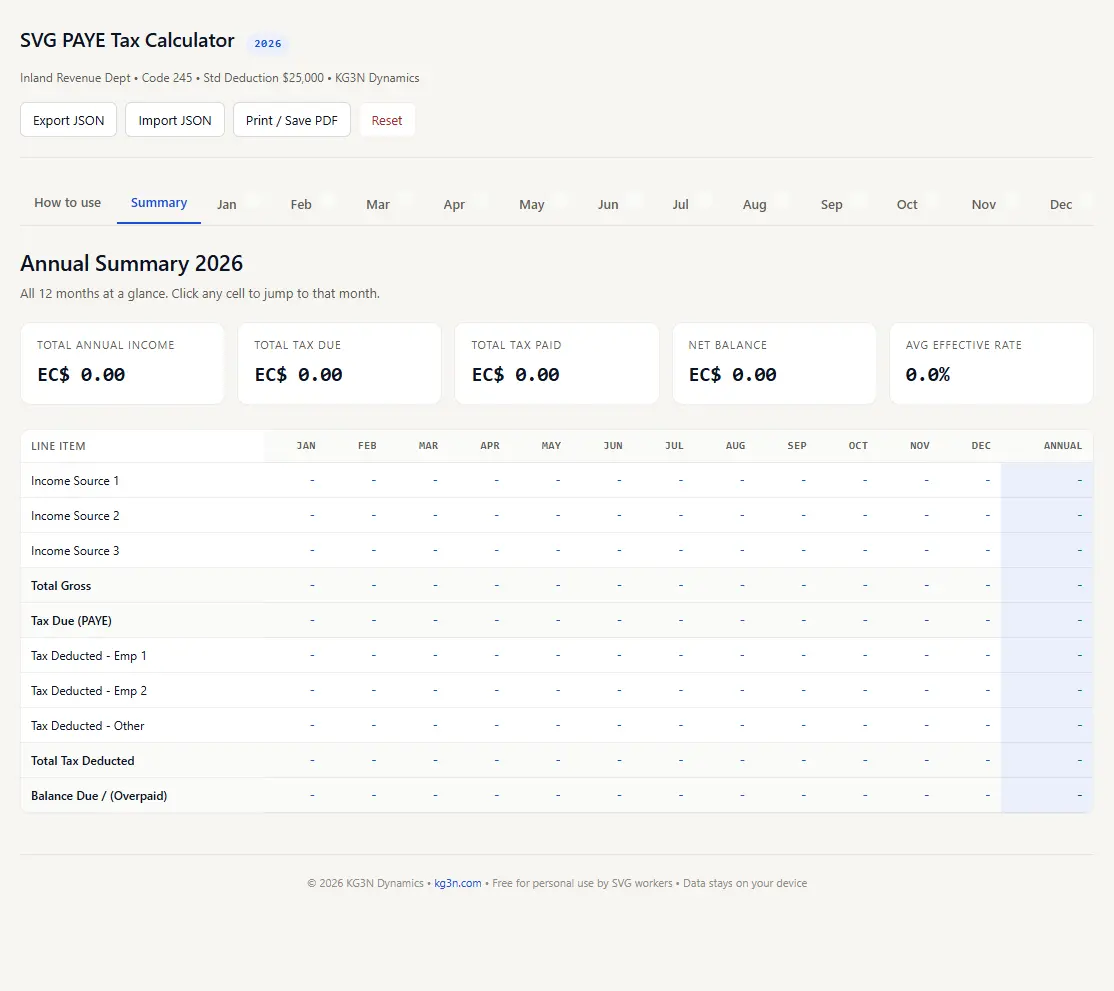
A single HTML file you double-click to open. No spreadsheet software needed. Runs on Windows, macOS, Linux. Works fully offline once downloaded. Auto-saves entries, export/import JSON backups, print remuneration as PDF.
Why use this calculator
Official tax tables built in
Uses the actual SVG Inland Revenue PAYE monthly tables (Code 245, Standard Deduction $25,000) - not estimates.
Never underpay
Automatically rounds up to the next tax bracket when your income falls between table entries. Conservative by design.
Multiple income sources
Handles up to 3 income sources per month - perfect for a main job plus freelance, rental, or a second employer.
Filing-ready summary
Auto-generates a remuneration summary that matches the format Inland Revenue expects. Just print and attach to your return.
100% private
No accounts, no cloud, no data collection. Excel keeps everything in your spreadsheet; the browser app stores data only on your device.
Instant calculations
See your tax due, effective rate, and take-home pay instantly. Each month takes 30 seconds.
What's inside
The same structure in both formats - 16 sheets / tabs, fully formula-driven, zero macros.
- Instructions: step-by-step guide with colour code legend
- Annual Summary: dashboard with all 12 months, annual totals, and effective rate
- January - December: individual monthly input sheets (3 income + 3 tax deduction fields each)
- Tax Remuneration: filing-ready summary with your name, address, NIS fields
- Monthly Tax Table: 2,750+ official PAYE lookup entries ($2,080 - $15,835)
Frequently asked questions
Is this really free?
Yes, completely free for personal use. No sign-up, no email required, no hidden fees. Download and use it.
Excel or browser app - which should I pick?
If you already have Excel, Google Sheets, LibreOffice, or Numbers on your device, the Excel version is the most familiar choice. If you don't use a spreadsheet application, or you want something that just works by double-clicking, pick the browser app - it needs nothing but a web browser, which every computer already has. Both produce identical results.
Why did you make an HTML version?
Not everyone has a spreadsheet application installed, and some phones, school computers, and work machines restrict what software can be installed. The browser app removes that barrier entirely - any device with a web browser (Chrome, Safari, Firefox, Edge, or any other) can run it. It was built to guarantee cross-OS functionality for anyone without Excel.
Does the Excel version work with Google Sheets?
Yes. Upload the .xlsx file to Google Drive and open it with Google Sheets. All formulas and formatting are preserved.
How does the browser app save my data?
The browser app uses your browser's local storage - your entries are saved on your device only and persist between sessions, so you can close the tab and pick up where you left off next month. You can also export your data as a JSON backup file at any time, which is useful for moving between computers or keeping a safety copy.
What if I earn below $2,080/month?
If your total gross income for any month is below EC $2,080 (roughly $24,960 per year), you fall below the taxable threshold and the calculator will show $0.00 tax due.
Does this calculate NIS?
No. This tool only calculates PAYE income tax. National Insurance Service (NIS) contributions are calculated separately. Your employer typically handles NIS deductions.
Why does it round up to the next tax bracket?
The official PAYE table uses $5 salary increments. If your gross falls between two entries (e.g. $8,730.79 is between $8,730 and $8,735), the calculator uses the higher bracket's tax. This means you'll never owe Inland Revenue when you file - you might even get a small refund.
Can I use this if I have more than one job?
Absolutely. Each monthly sheet has 3 income source fields and 3 tax deduction fields. Enter each employer's gross pay and PAYE separately. The calculator combines them to determine your total tax obligation.
Is my data safe?
Your data never leaves your device. The Excel file is a standard spreadsheet - no macros, no internet connections, no cloud syncing. The browser app runs fully offline once loaded and stores entries only in your browser's local storage. Neither version uploads, transmits, or collects anything.
Is this an official government tool?
No. This is an independent tool built by KG3N Dynamics using the officially published PAYE tax tables from the SVG Inland Revenue Department. Always verify your figures against your official pay slips and consult Inland Revenue for any discrepancies.