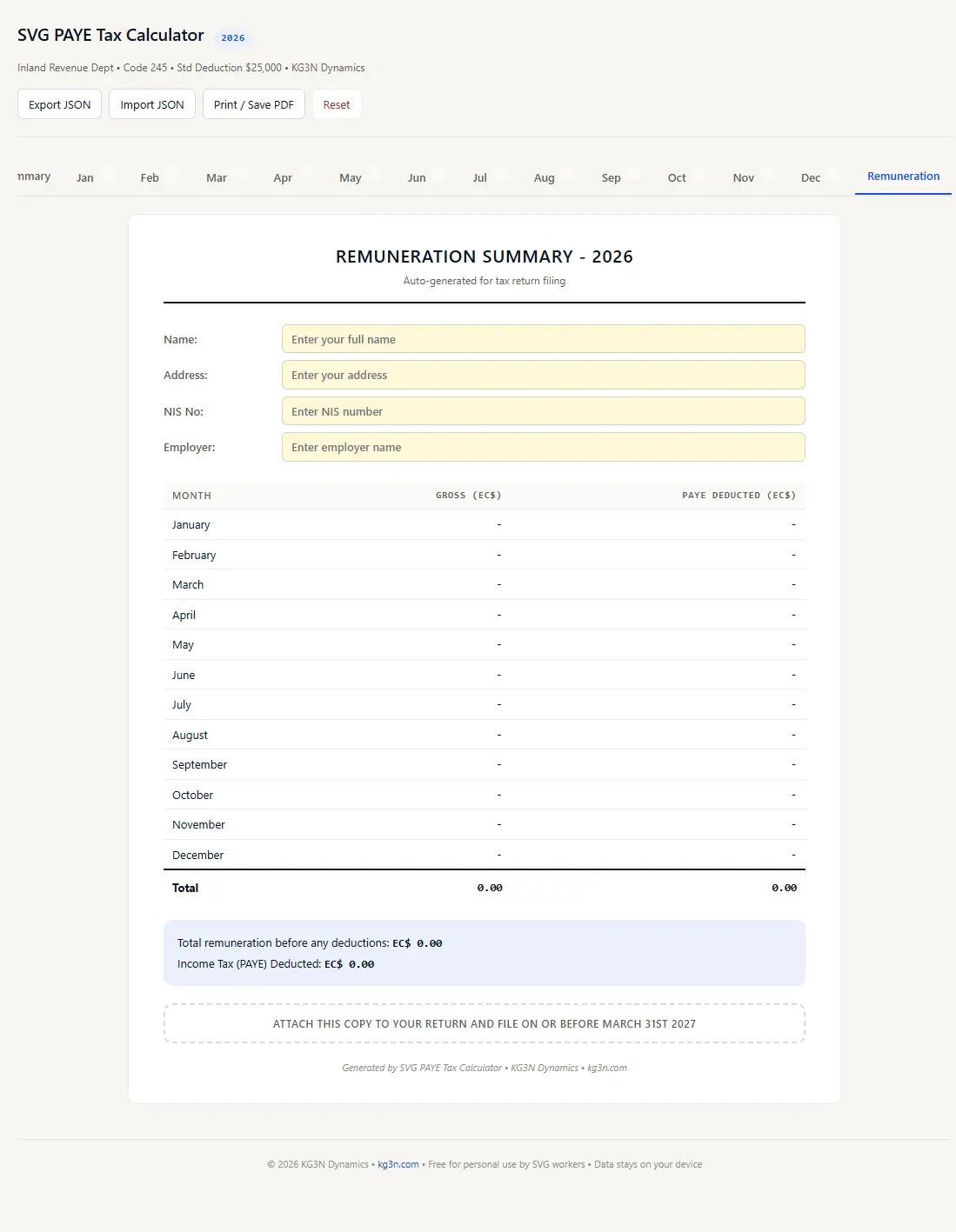
The free spreadsheet that tracks your income tax all year - so you're never surprised at filing time.
Works in Excel, Google Sheets, LibreOffice - No sign-up required
A free, formula-driven Excel spreadsheet built for workers in Saint Vincent and the Grenadines. Enter your monthly income and PAYE deductions, and instantly see whether you owe additional tax or have overpaid. Uses the official SVG Inland Revenue PAYE monthly tables - not estimates. At the end of the year, your filing summary is already done.
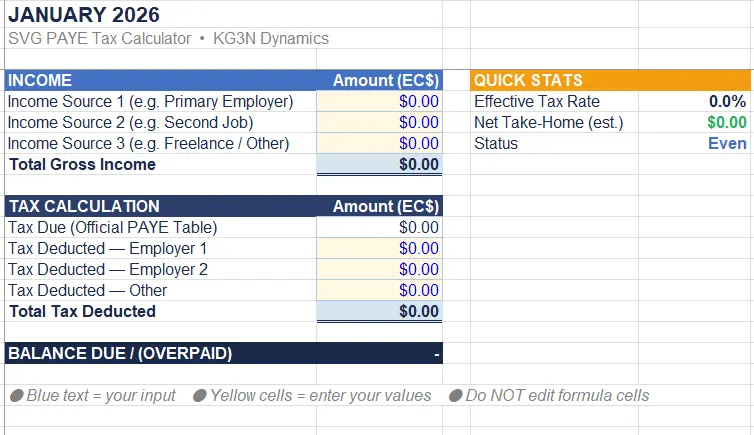
Uses the actual SVG Inland Revenue PAYE monthly tables (Code 245, Standard Deduction $25,000) - not estimates.
Automatically rounds up to the next tax bracket when your income falls between table entries. Conservative by design.
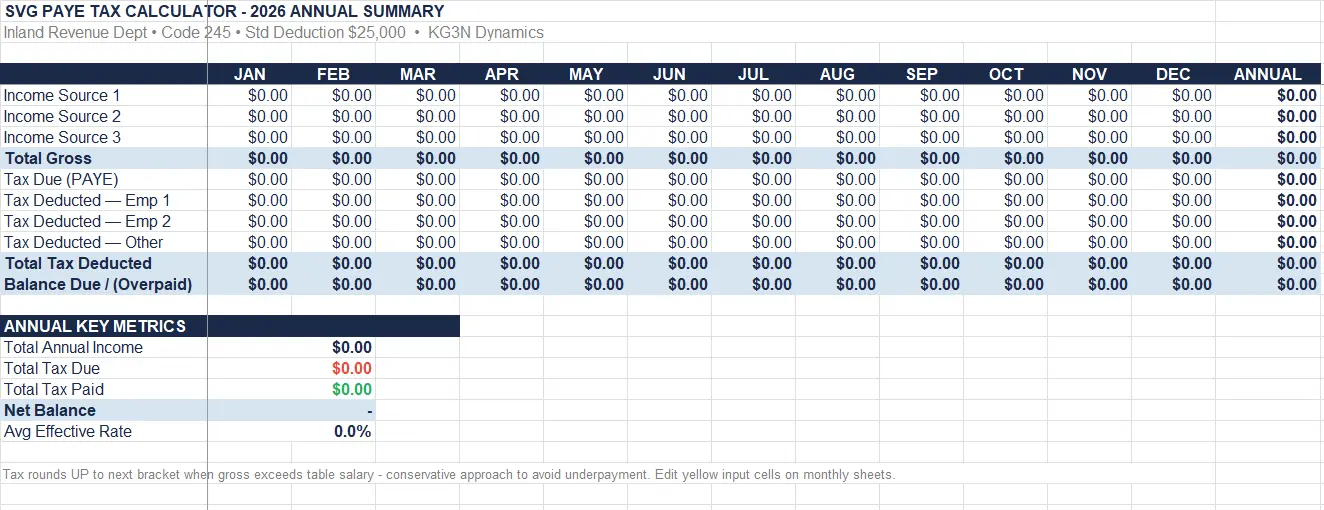
Handles up to 3 income sources per month - perfect for people with a main job plus freelance, rental, or a second employer.
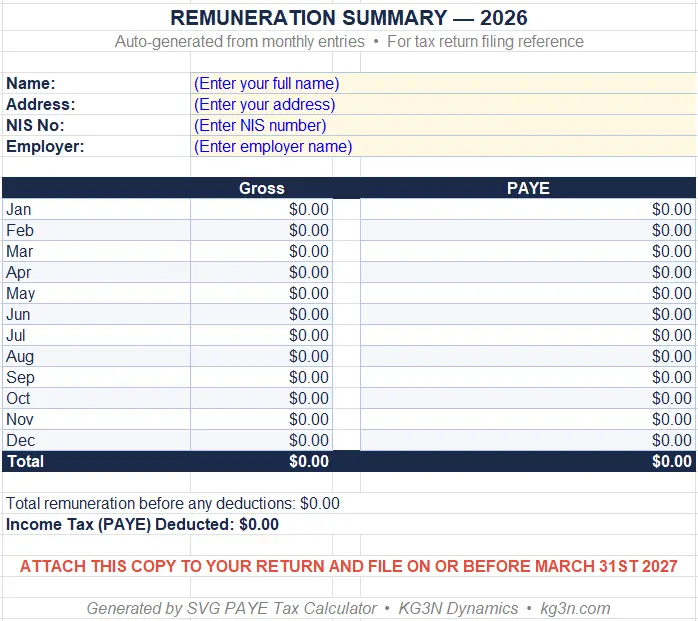
Auto-generates a remuneration summary that matches the format Inland Revenue expects. Just print and attach to your return.
No accounts, no cloud, no data collection. Your numbers stay in your spreadsheet on your computer. Period.
Enter your income and see your tax due, effective rate, and take-home pay instantly. Each month takes 30 seconds.
Five minutes of setup, twelve months of clarity.
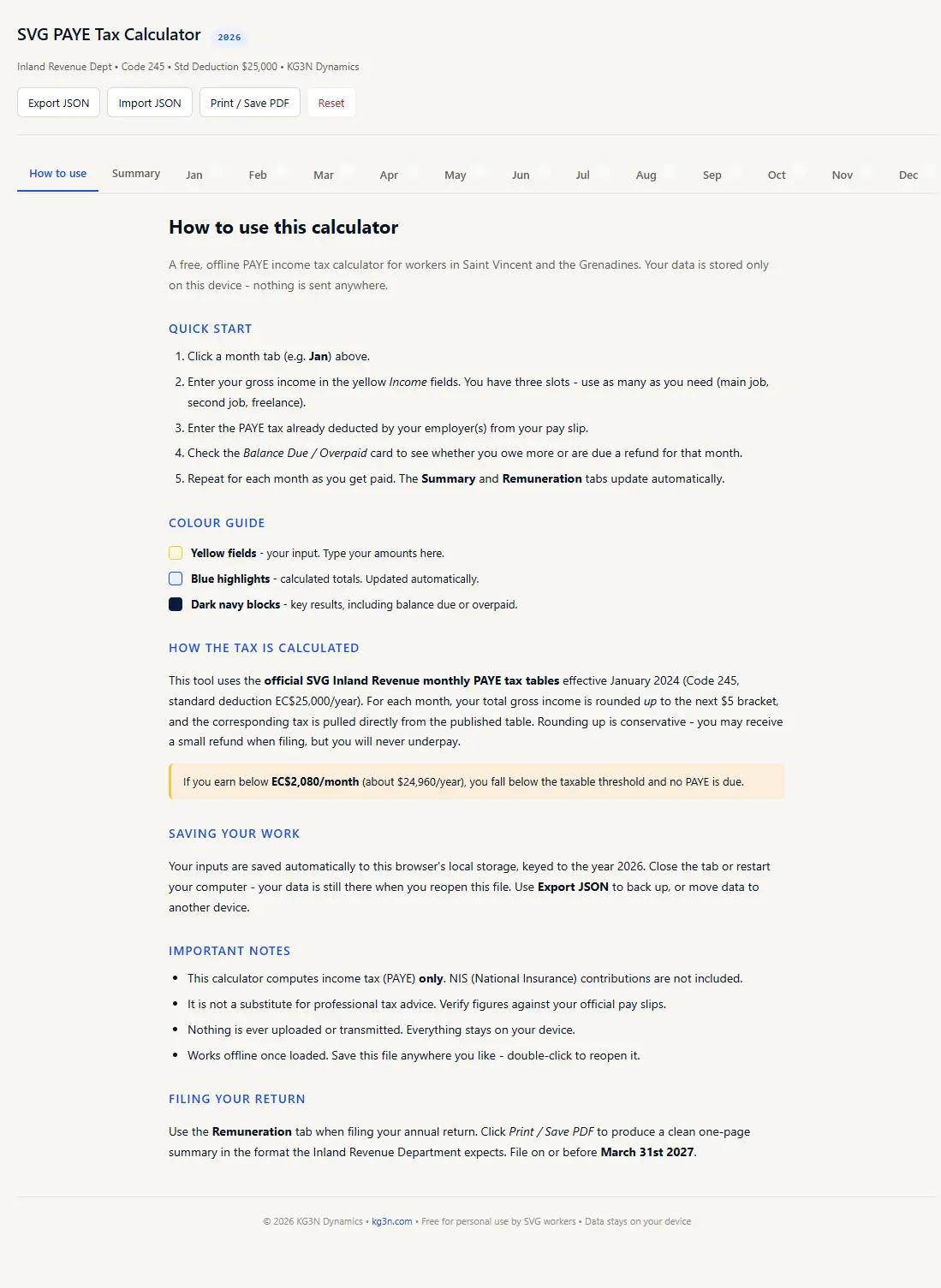
Download the .xlsx file and open it in Excel, Google Sheets, or LibreOffice Calc. Start on the Instructions tab.
Go to the current month's tab. Enter your gross income from each source in the yellow input cells. You have up to 3 source fields.
Check your pay slip for the PAYE amount your employer deducted. Enter it in the tax deduction fields. If multiple employers deduct tax, enter each separately.
The calculator shows whether you owe additional tax or have overpaid. The Quick Stats panel shows your effective tax rate and estimated take-home.
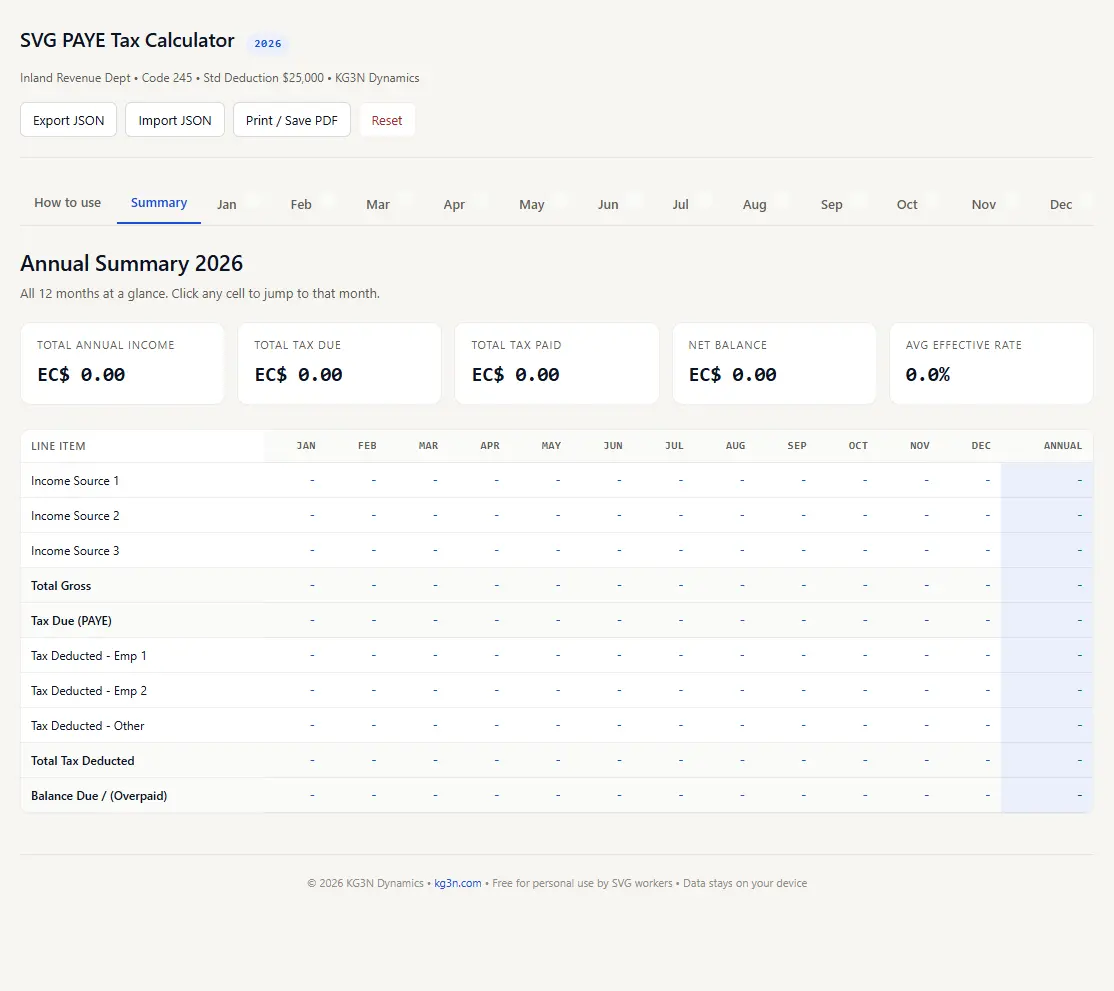
Update each month as you get paid. When tax season comes, your Annual Summary and Tax Remuneration sheets are already done - just print and file before March 31st.
16 sheets, fully formula-driven, zero macros.
Common questions from SVG taxpayers.
Yes, completely free for personal use. No sign-up, no email required, no hidden fees. Download and use it.
Yes. Upload the .xlsx file to Google Drive and open it with Google Sheets. All formulas and formatting are preserved.
If your total gross income for any month is below EC $2,080 (roughly $24,960 per year), you fall below the taxable threshold and the calculator will show $0.00 tax due.
No. This tool only calculates PAYE income tax. National Insurance Service (NIS) contributions are calculated separately. Your employer typically handles NIS deductions.
The official PAYE table uses $5 salary increments. If your gross falls between two entries (e.g. $8,730.79 is between $8,730 and $8,735), the calculator uses the higher bracket's tax. This means you'll never owe Inland Revenue when you file - you might even get a small refund.
Absolutely. Each monthly sheet has 3 income source fields and 3 tax deduction fields. Enter each employer's gross pay and PAYE separately. The calculator combines them to determine your total tax obligation.
Your data never leaves your computer. This is a standard Excel file - there are no macros, no internet connections, no cloud syncing. Everything stays local on your device.
No. This is an independent tool built by KG3N Dynamics using the officially published PAYE tax tables from the SVG Inland Revenue Department. Always verify your figures against your official pay slips and consult Inland Revenue for any discrepancies.
Stop guessing. Know exactly where you stand every month.