
PacketLock uses Android's VPNService API to create a local, on-device VPN that intercepts and blocks network traffic for selected applications. No traffic is routed through external servers. The VPN operates entirely within your device, giving you precise control over which apps can access the internet and when.
Traffic is never sent to a remote server. The VPN runs locally on your device.
No usage data is collected, transmitted, or stored on external systems.
Zero analytics SDKs. No Firebase, no Crashlytics, no event logging.
All app configuration and data lives on your device and nowhere else.
Select exactly which applications can and cannot access the internet.
Set different blocking rules for Wi-Fi and mobile data connections.
Schedule blocking rules to activate and deactivate at specific times.
Save different blocking configurations as named profiles for quick switching.
Temporarily allow a blocked app to access the internet without changing your rules.
Track blocked connections per app. See which apps attempt to reach the network and how often.
Blocking rules automatically resume when your device restarts.
Designed for minimal battery drain. The local VPN is efficient and resource-conscious.
Works on any standard Android device. No root access or special permissions needed.
Three of the main screens: active blocking, managed apps, and scheduling.
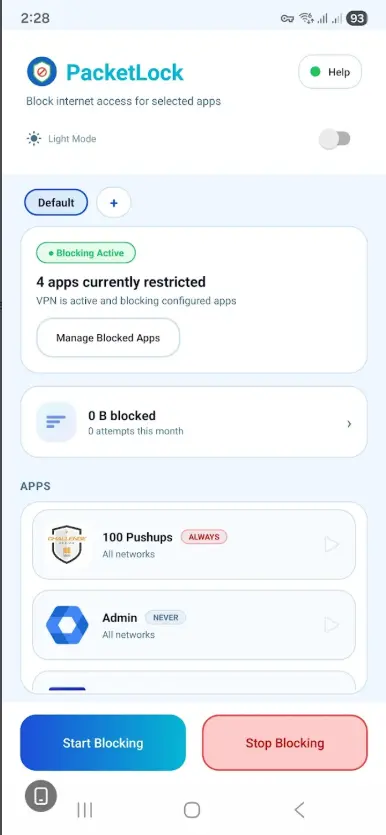
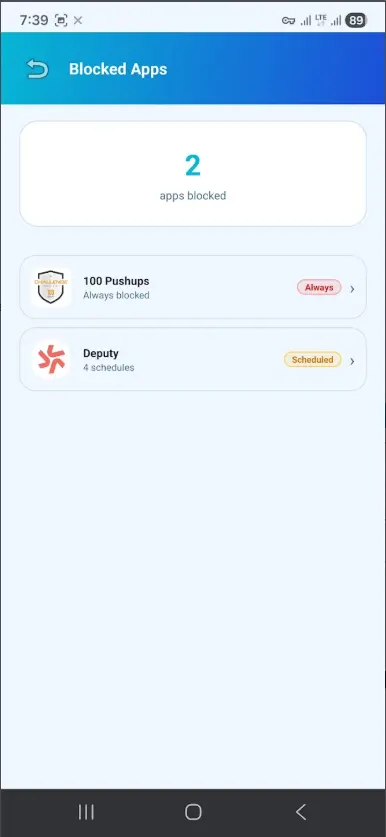
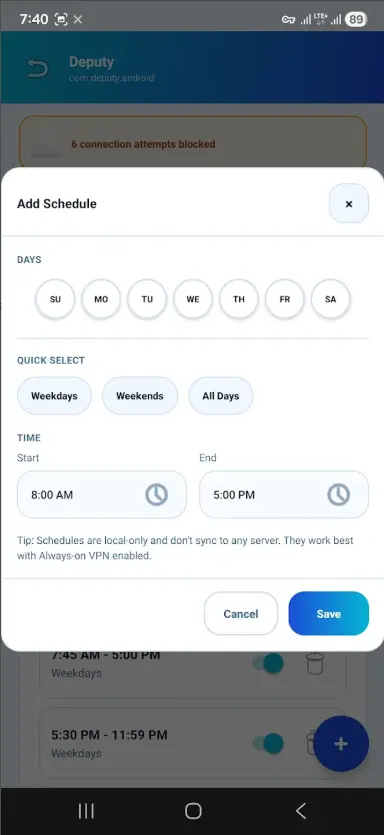
Get started for free. Upgrade once for lifetime access to every feature.
Choose any installed application from the list.
Block Wi-Fi, mobile data, or both connections.
Your rule is applied immediately to the local VPN configuration.
Activate the VPN. Blocked apps lose internet access instantly.
Optionally enable Android's Always-on VPN for persistent protection.
Every permission PacketLock requests has a clear, functional purpose.
VPNService
Required to create the local VPN tunnel that intercepts and blocks network traffic on-device.
ACCESS_NETWORK_STATE
Allows the app to detect whether the device is connected via Wi-Fi or mobile data to apply the correct rules.
RECEIVE_BOOT_COMPLETED
Enables automatic resumption of blocking rules after the device restarts.
POST_NOTIFICATIONS
Used to display the persistent notification required by Android when a VPN service is running.
QUERY_ALL_PACKAGES
Required to display the full list of installed apps so you can choose which ones to block.
SCHEDULE_EXACT_ALARM
Allows scheduled blocking rules to activate and deactivate at precise times.
Available on the Google Play Store.

PacketLock does not collect, store, or transmit any personal data.